
Producer Portal
Your shows, your files and your live sessions — all in one place.
Watch the session live from anywhere, talk to the studio floor, and mark the moments that matter as you hear them. Everything you log is waiting at its timecode the moment the record stops — and an edit-ready Premiere or Resolve project is ready minutes later.
It comes with the room. There is nothing extra to buy.
Watch Live, Talk Back
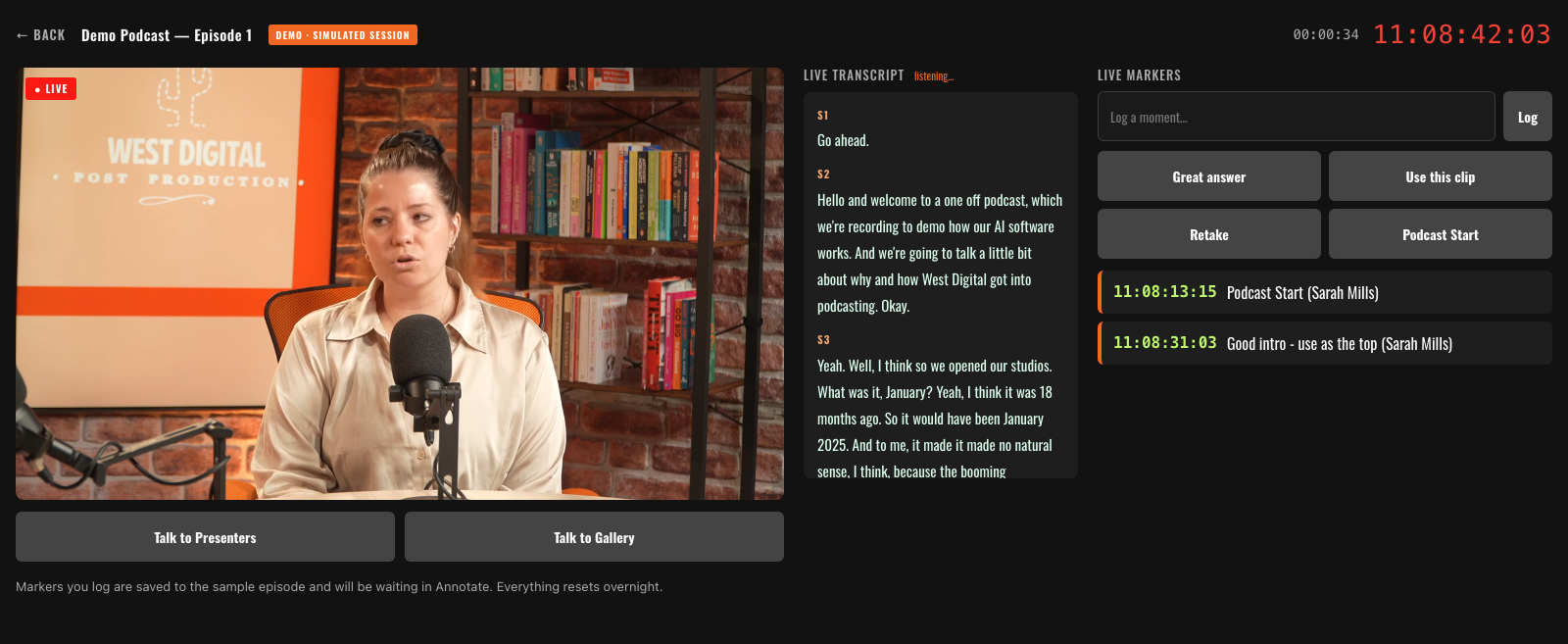
Cannot be in the building? Live Studio streams the programme output to your browser in real time, with running timecode. Talk to the presenters or to the gallery, and hear the other producers on a clean return.
Alongside the picture, a live transcript types itself out as the words are spoken. Mark the moment with a button, type your own note, or drag across the words you have just read to drop a marker on them — an edit note, a cut, a social clip or a legal flag.
- Talkback — one click to the presenters or the gallery, straight from your browser.
- Live transcript — words as they are spoken, draggable to mark what you just heard.
- Logger View — share a link so anyone on set can follow along and log from their phone.
Everything you log is waiting in Review and Edit at its timecode, the moment the record stops.
Studio Dashboard
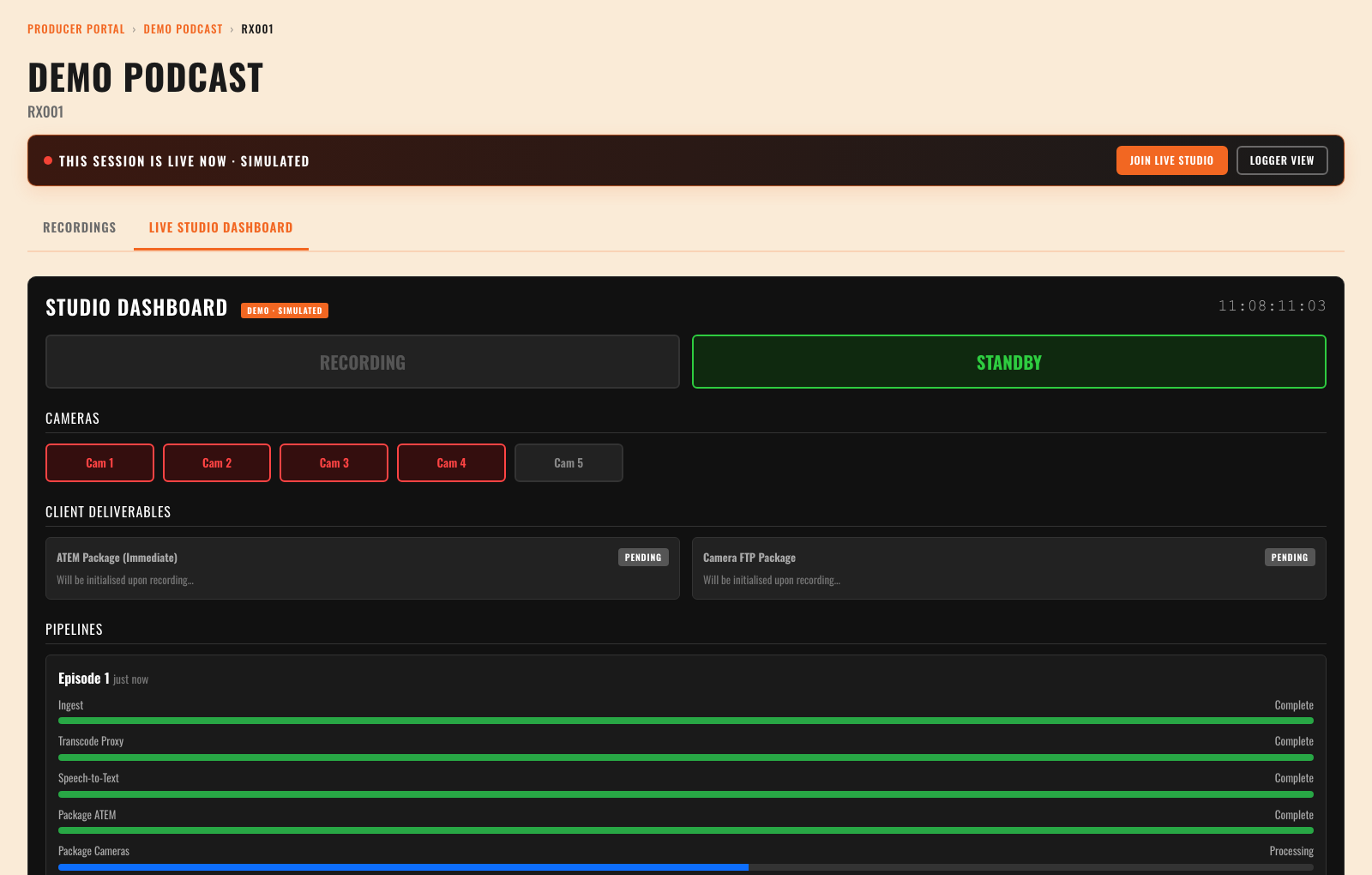
The second tab on any episode mirrors the studio in real time: running timecode, record state, a tally for every camera, and delivery status as each package moves from Pending to Ready.
Below that, every stage is tracked as it completes — ingest, transcode, speech-to-text and packaging — so you can see exactly where your material has got to.
Your Recordings, Packaged
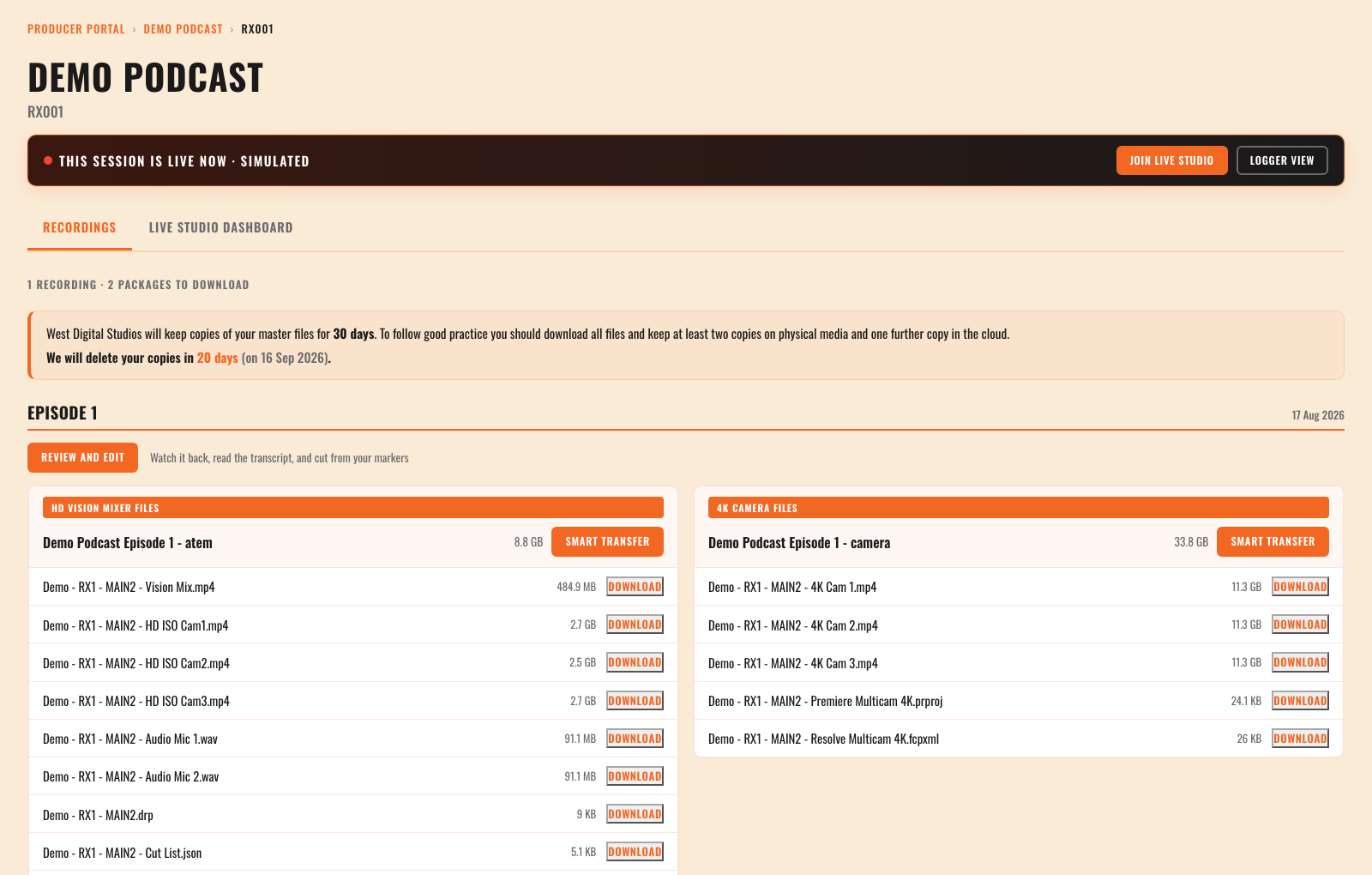
The Recordings tab is where an episode lives. Deliverables are packaged automatically for every recording:
- HD vision mixer files — the vision mix, HD ISO cameras, the audio mix, the individual microphone tracks, and edit-ready Premiere and Resolve projects. Available within minutes of recording.
- 4K camera files — your camera masters, with multicam projects to match.
Download files one at a time, or pull a whole package with Smart Transfer. Each recording also carries a Review and Edit button, which is where the transcript and your markers live.
Where a session records separate microphones, each arrives as its own track and is laid out ready in the multicam project. The 4K masters are timecode-matched to the studio ISOs, so the cameras line up the moment you open the project.
We keep copies of your master files for 30 days — the portal counts down to the deletion date. Please download everything and keep two copies on physical media and one in the cloud.
Review Every Recording
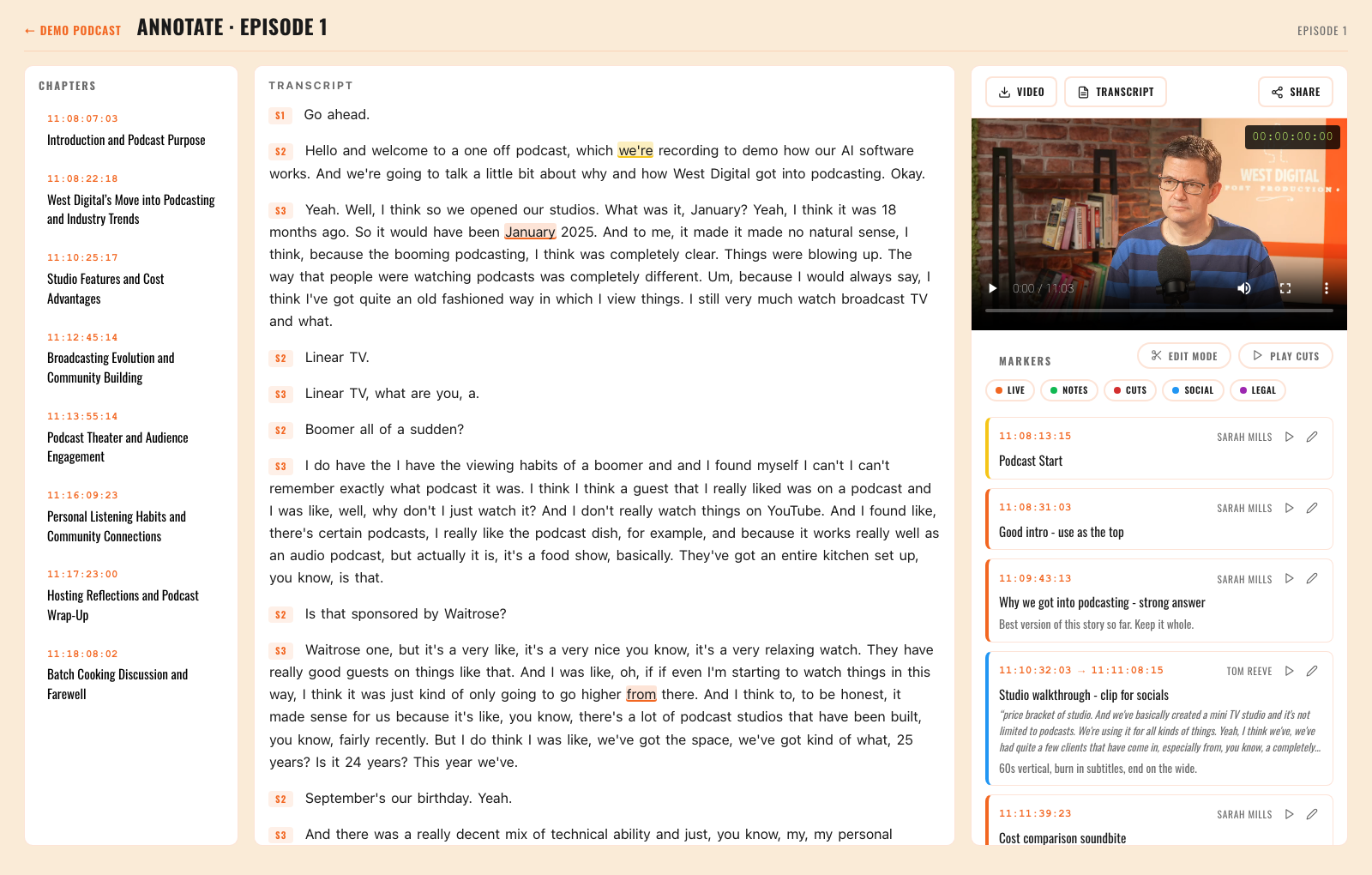
Open Review and Edit on any recording and you get a transcript, chapters covering the subjects discussed, and a review player showing the vision mix from the room. Click any word to jump to that moment.
Highlight the transcript to drop a marker for edit notes, cuts, social clips or legal flags — each timecoded, attributed to whoever logged it, visible to the whole team and filterable by type. Anything logged live during the session is already here, waiting.
- Edit Mode — drag-select becomes an instant cut, so a paper edit takes minutes.
- Play Cuts — playback skips everything you have cut, for an instant preview.
- Quad View — watch all four cameras at once, or follow whichever one was live.
From Notes to Edit
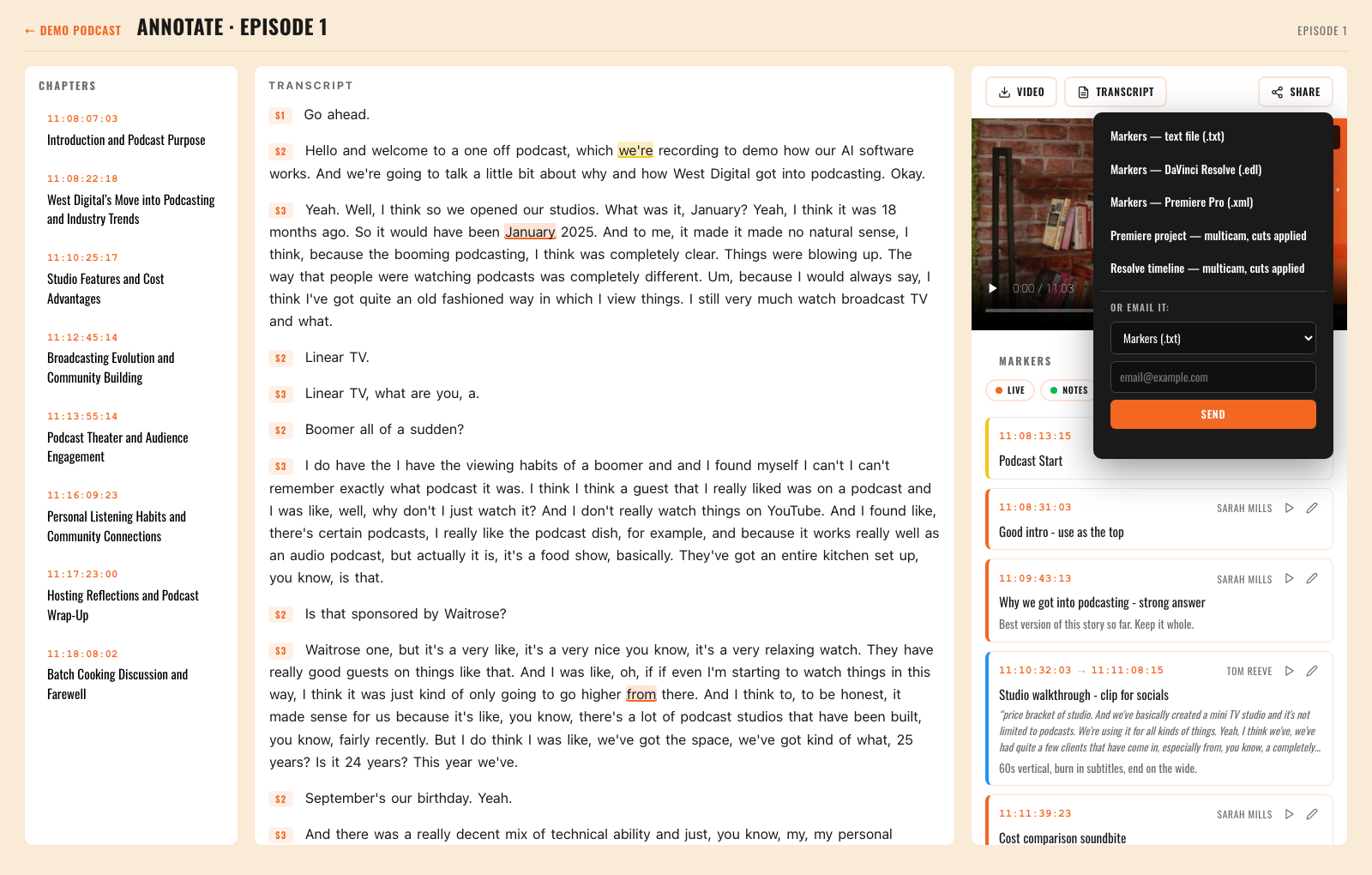
Everything you mark up travels with you. The Share menu exports your video, transcript and markers — or builds a project with your cuts and markers already applied, cameras and microphones laid out ready to edit.
- Premiere Pro — marker XML, or a multicam project with your cuts applied.
- DaVinci Resolve — marker EDL, or a multicam timeline with cuts applied.
- Email it — send any export straight to your editor without leaving the page.
Your Shows
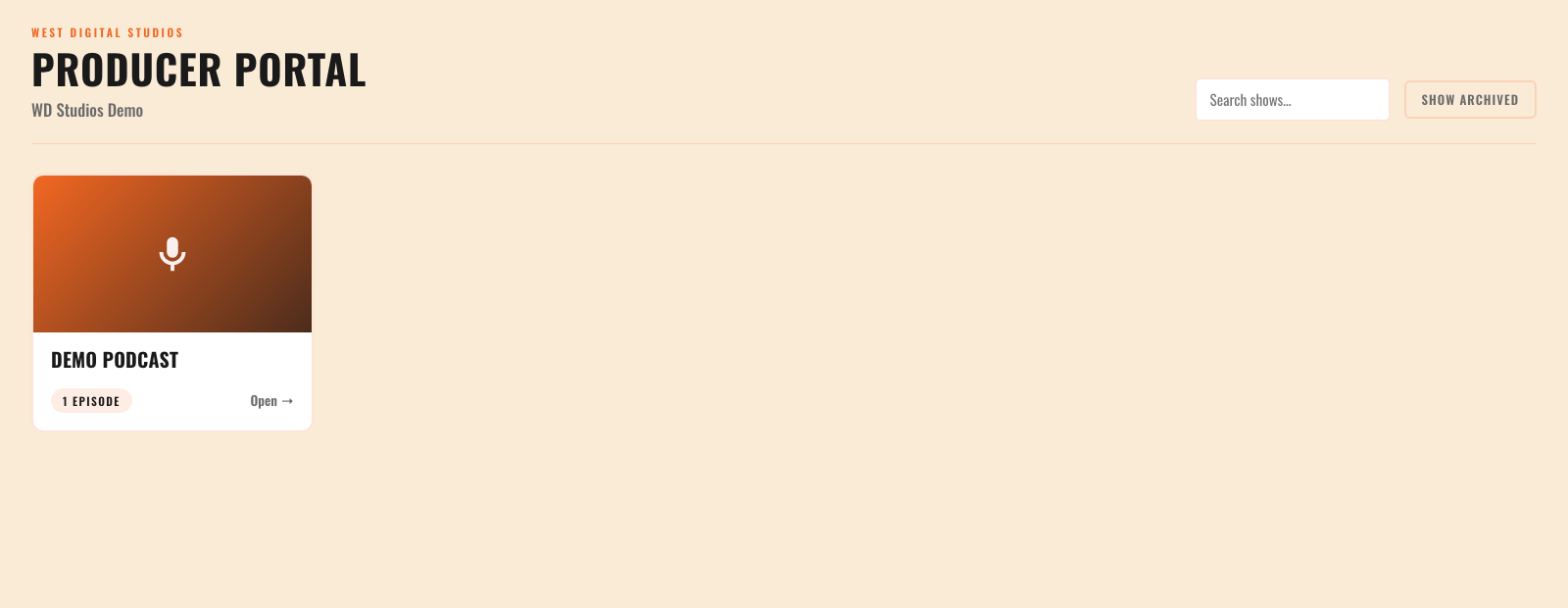
The portal home lists every series your company records with us. Open one and you are straight into that episode, with its recordings, its files and its studio tools on the same page.
Your login is set up by our team when your first session is booked — tell us who else on your team needs access and we will have them ready in time.
Frequently asked questions
How do I get a Producer Portal login?
Our team sets it up when your first session is booked. Tell us who else on your team needs access and we will have them ready in time.
How long do you keep my files?
Master files are kept for 30 days. The portal counts down to the deletion date so nothing gets lost. Download everything and keep two copies on physical media and one in the cloud.
Can I watch a recording if I am not in the building?
Yes. Live Studio streams the programme output to your browser in real time with running timecode, and you can talk to the presenters or the gallery from there.
Can other people on my team log markers during a session?
Yes. Share a Logger View link and anyone on set can follow the live transcript and log markers from their phone.
What can I send to my editor?
A Premiere Pro marker XML or multicam project, a DaVinci Resolve marker EDL or multicam timeline, the transcript, or the raw markers — with your cuts already applied. You can email any of them straight from the page.
Does the Producer Portal cost extra?
No. It comes with the room, on every session recorded at West Digital Studios.
Book a session and the portal comes with it
Every recording at West Digital Studios lands in the Producer Portal, with your files, your live session and your edit notes in one place.
Screenshots on this page show the demo account and sample footage.